Donate a coding-agent session to ContextEcho

Start a local scanner, pick a Claude Code or Codex session, redact locally, and submit only the verified artifact.

Raw session history stays local. The server receives only redacted files after you approve them.
Help more donors find ContextEcho
Star the GitHub repo or like the dataset, even if you are not ready to donate today.
Dataset Composition
Current public coverage metrics.
Sessions
9
Donors
9
Institutes
6
Total turns
24,649
One command starts the local wizard
curl -Ls https://github.com/Accenture/ContextEcho/raw/main/scripts/run-donate.sh | bash
Use this in Terminal on macOS/Linux, or in WSL/Git Bash on Windows.
Run the command once. When the local wizard starts, this page will detect it and enable Continue.

Step-by-step donation guide

Follow these screens in order. The public page only starts the local wizard; the actual scan and redaction happen on 127.0.0.1, which means your own computer.

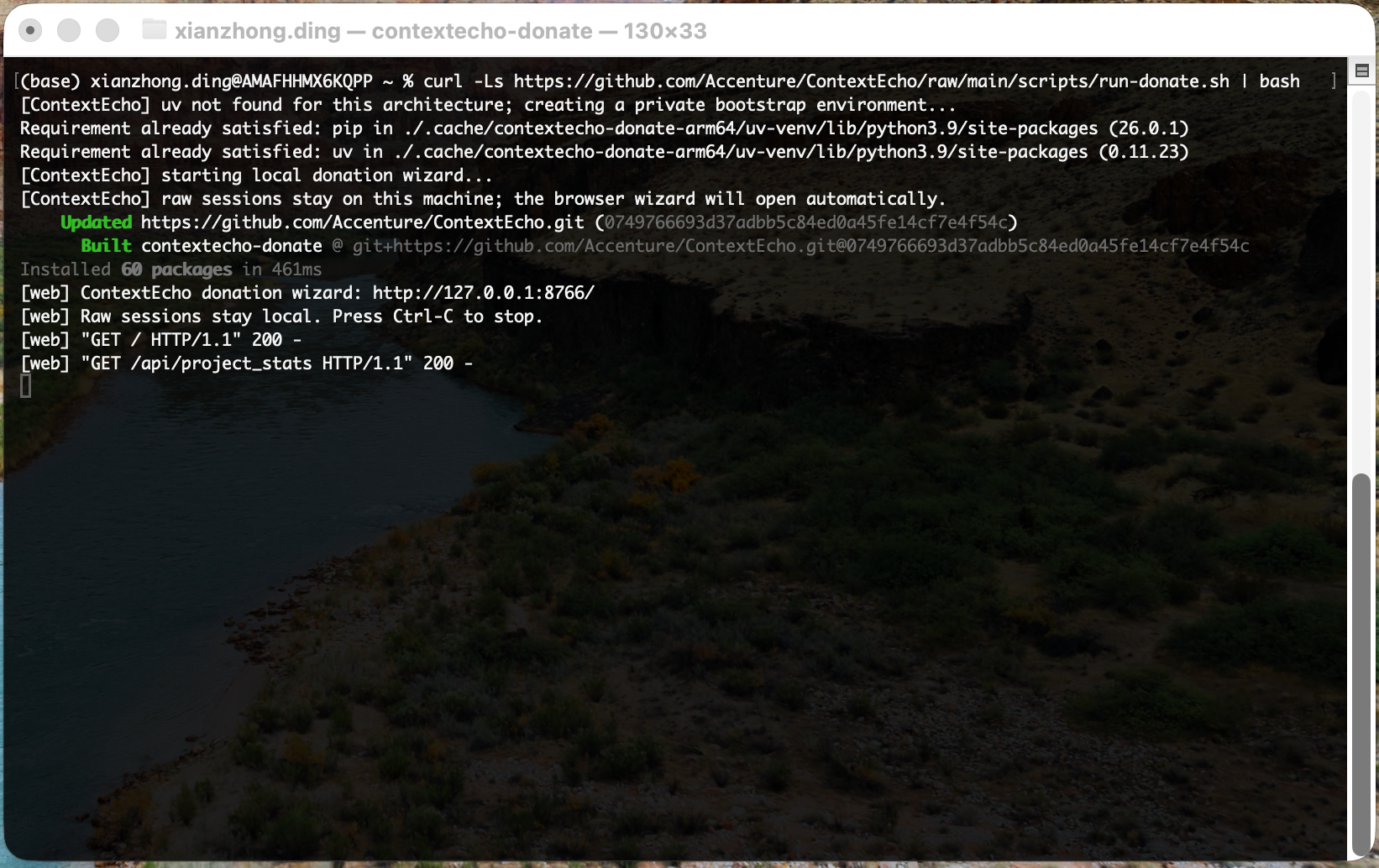
Terminal running the ContextEcho donation command and starting the local wizard

1. Run the command in Terminal

After copying the command from this page, paste it into Terminal and press Enter. The script prepares a private local environment and starts the donation wizard.

  • Leave this Terminal window open while donating.
  • When you see ContextEcho donation wizard: http://127.0.0.1:<port>/, the local wizard is running.
  • Raw sessions stay local on this machine.
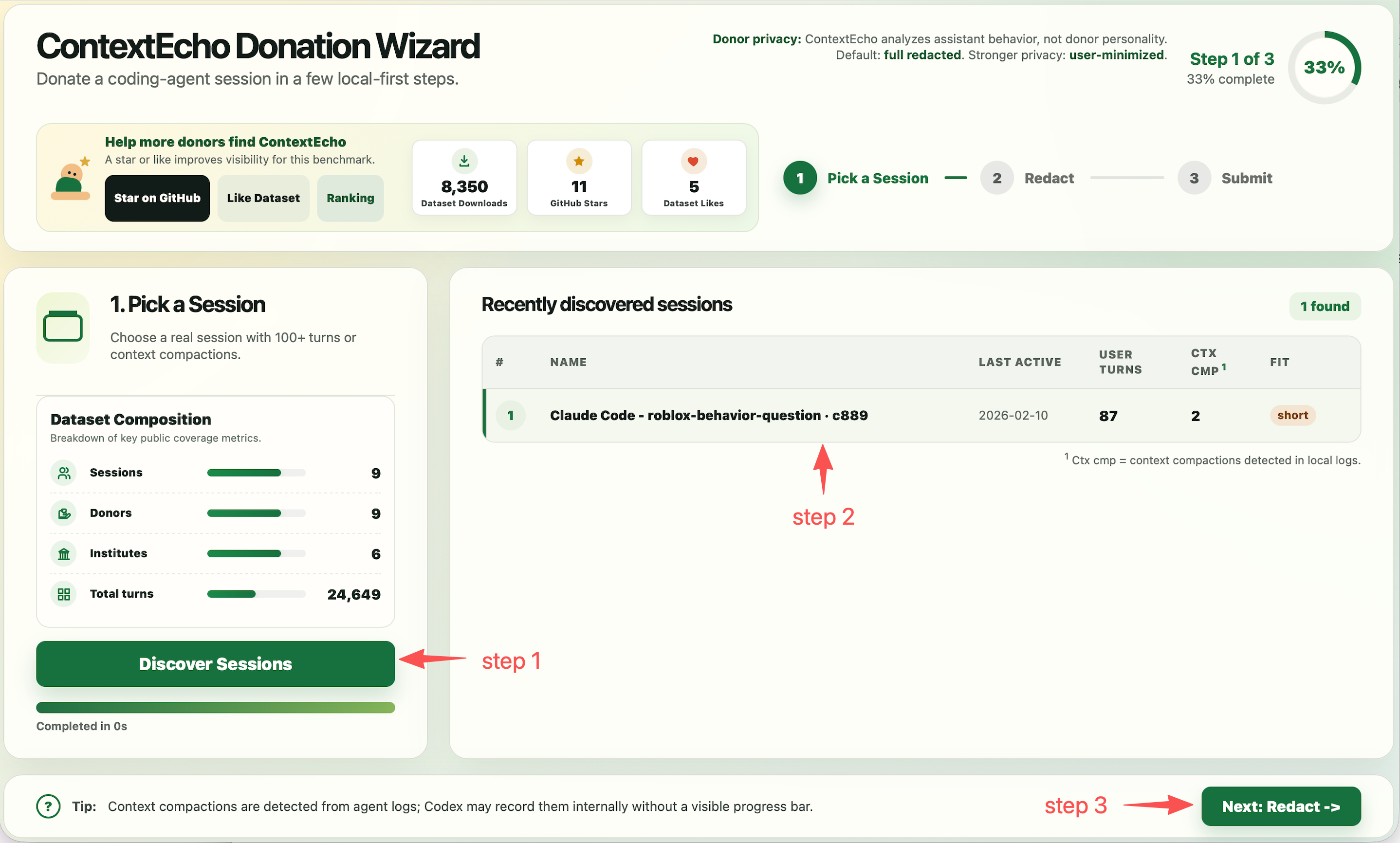
Annotated local wizard pick-session page showing Discover Sessions, session selection, and Next Redact

2. Discover and pick a session

In the local wizard, click Discover Sessions, choose one useful session row, then click Next: Redact.

  • Choose a real session with 100+ turns or context compactions.
  • Rows marked best are usually most useful for research.
  • The local wizard runs at http://127.0.0.1:<port>.
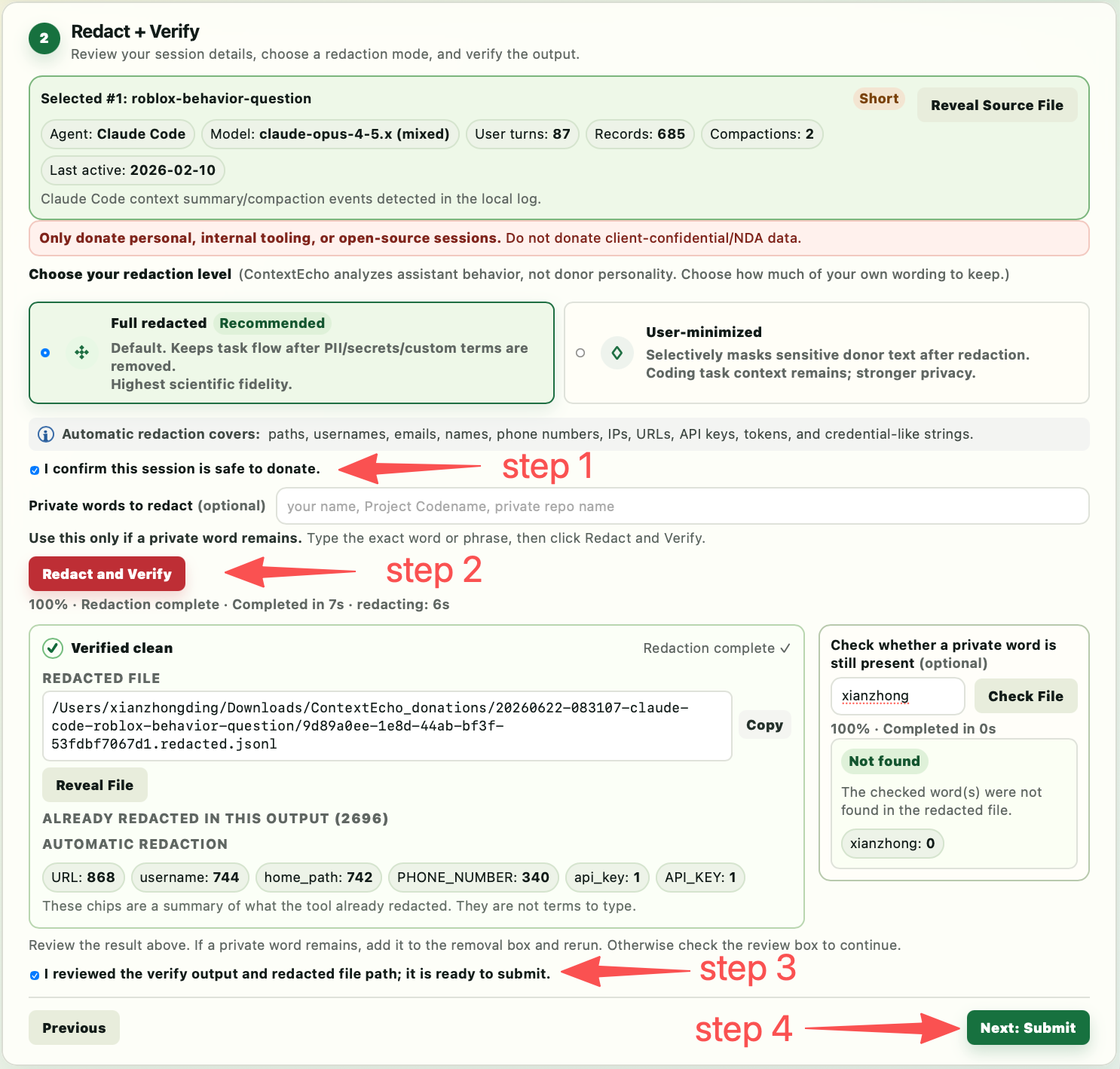
Annotated local wizard redaction page showing safety confirmation, Redact and Verify, review checkbox, and Next Submit

3. Redact locally and verify

Confirm the session is safe to donate, then click Redact and Verify. When it shows Verified clean, review the result and continue.

  • Keep Full redacted for best research fidelity, or use User-minimized for stronger privacy.
  • Add optional private words only if something specific remains.
  • Check the review box, then continue to Submit.
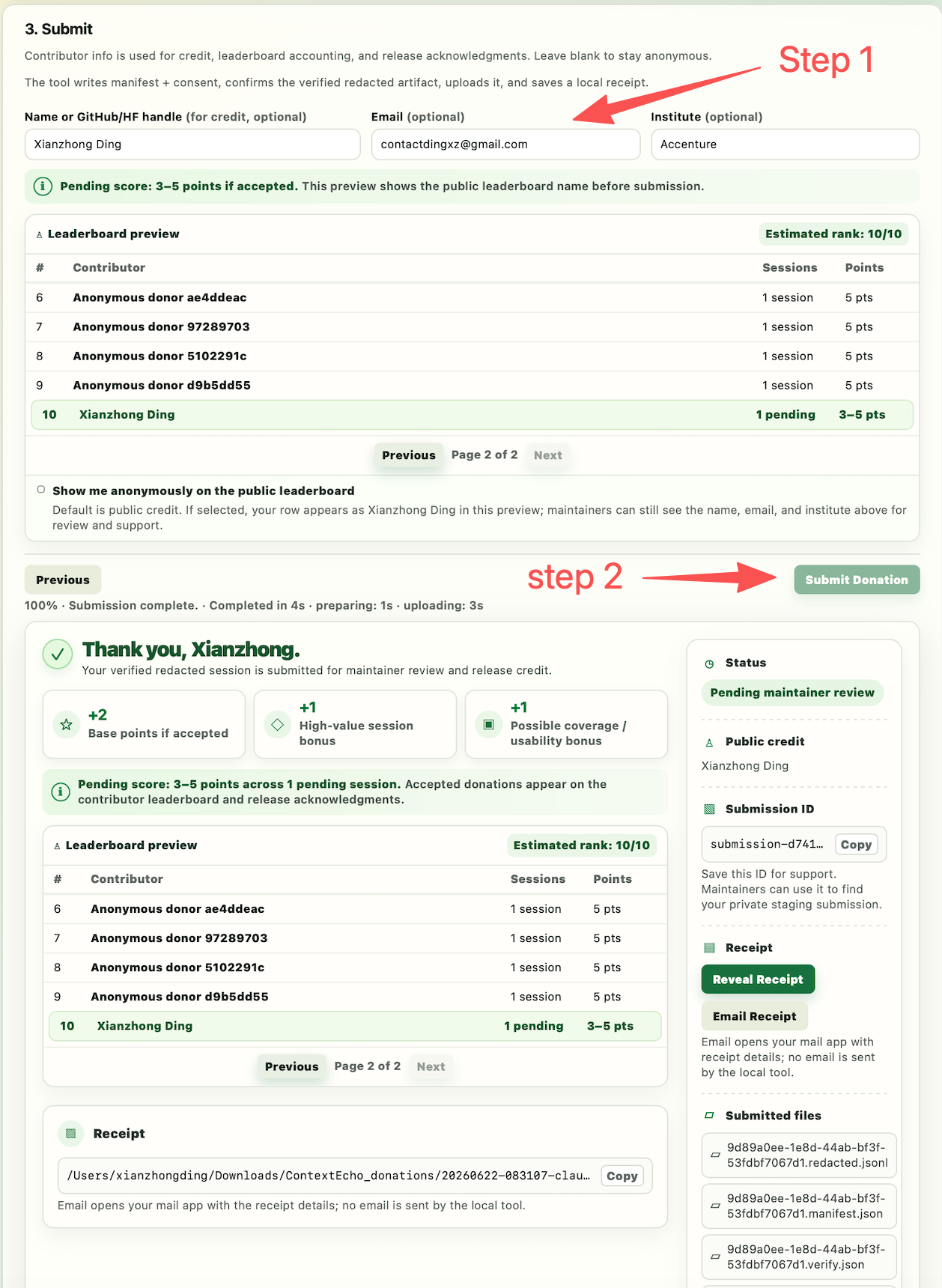
Annotated local wizard submit page showing contributor fields, Submit Donation, and success state

4. Submit and save the receipt

Contributor fields are optional. Review the leaderboard preview, click Submit Donation, and wait for the success result.

  • Keep the tab open and the computer awake while upload runs.
  • Your status is Pending maintainer review until accepted.
  • The receipt is stored locally.

If automatic discovery finds nothing, keep using your coding agent and come back later. The donor flow is designed so contributors do not need to know where session history files live.