
Application Assessment
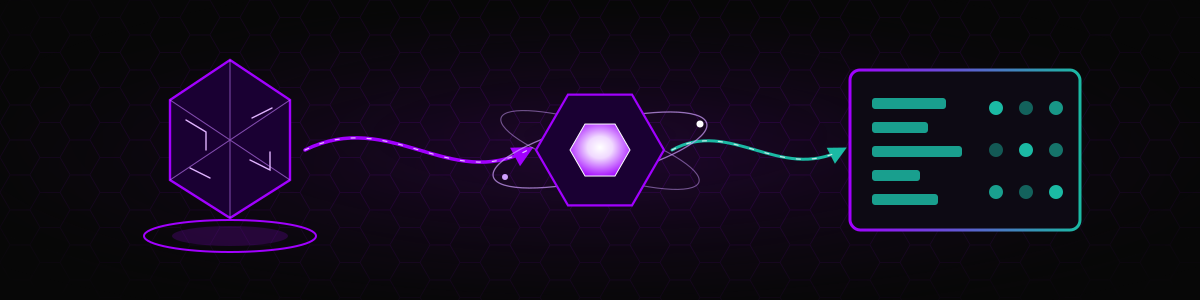
The Application Assessment is the core SWAO workflow. You point SWAO at an application's source code, add whatever operational context you have, and SWAO runs a sequence of analysis passes. The result is an audit-grade evidence chain: every finding (a signal) states what was found, where, how it was derived and who assessed it (the rule engine or the LLM). From those signals SWAO derives compliance verdicts for your active frameworks, a 7R migration recommendation and the inputs for a landing zone fit.
The Application Assessment is also the foundation for two other types: the Landing Zone Catalog Assessment uses the platform needs it detects, and the LLM Assessment for SWAO requires at least one completed Application Assessment for the app.
What you can do with it
- Sovereignty and compliance review. Map the application against GDPR, BSI C5, NIS2, DORA, ISO 27001 or any other installed community framework and get a per-control outcome with rationale and evidence.
- Migration planning. Get a 7R verdict (Retire, Retain, Rehost, Replatform, Repurchase, Refactor, Re-architect) with rationale, blockers, enablers and a portability score.
- Technical due diligence. Inventory of languages, frameworks and dependencies, a software bill of materials with licence and CVE information, cryptography and secrets posture, outbound data flows, twelve-factor readiness.
- Landing zone fit. Check, in the same run, whether one or more cloud provider regions offer the services the application needs under your sovereignty requirements.
- Audit preparation. Hand an auditor a self-contained HTML publication or a Markdown audit report in which every statement traces back to a file and line.
What you need to provide
| Input | Required | Where it goes |
|---|---|---|
| Source code | Yes | A local path (source.path in the app .swao.yml, or --source-path) or a Git repository (source.vcs.url and source.vcs.ref; the TUI asks for the repository URL, branch and subdirectory) |
| Active frameworks | Recommended | assessment.regimes_active in the app's own apps/<id>/.swao.yml (when the app has no list, the compliance pass uses the list in the workspace .swao.yml). Each listed framework must be installed: copy its folder from the public community-frameworks directory into <workspace>/wsp/inputs/catalogs/community/<folder>/ at workspace level |
| LLM connector | Recommended | Workspace .swao.yml (providers.llm.primary) or --llm <connector[:model]>; API keys go into the SWAO credential store, never into YAML |
| Context documents | Optional | Drop CMDB exports, workshop transcripts, architecture documents, FinOps reports into apps/<id>/ingestion/; Pass 00 routes them into wsp/inputs/ |
| Running application URL | Optional | For the Playwright crawl (Pass 10). The URL and login credentials are stored in the credential vault; only non-sensitive crawl settings live in .swao.yml |
| Terraform state or plan | Optional | apps/<id>/wsp/inputs/terraform/*.tfstate or *.tfplan, for the landing zone readiness check (--lzr) |
| Landing zone target | Optional | assessment.landing_zone.provider and .region, or --lz-cat-targets |
A minimal app configuration:
# apps/app-crm-01/.swao.yml
source:
  path: ./source

assessment:
  regimes_active: [GDPR, BSI_C5]
  landing_zone:
    provider: stackit
    region: eu01
See workspace setup and workspace configuration for the full schema.
Choosing the frameworks
- Any framework folder in
<workspace>/wsp/inputs/catalogs/community/<folder>/is discovered automatically and offered in the TUI framework selection of an assessment. No registration is needed. To add a framework, copy its folder from the public community-frameworks directory. - The chosen frameworks are stored per app in
apps/<id>/.swao.ymlasassessment.regimes_active, either through the TUI or withswao regime-select --app <id> --regimes GDPR,BSI_C5. The compliance pass evaluates exactly this list. - When an app has no
regimes_activelist of its own, the compliance pass uses the list in the workspace-level.swao.yml(for example written byswao regime-selectwithout--app). A list on the app always takes precedence.
What you get
After a run, the app folder contains:
apps/<id>/wsp/
+-- latest.txt                    pointer to the most recent run
+-- runs/<timestamp>/
    +-- passes/
    |   +-- 01-inv.yaml           one YAML file per pass that ran
    |   +-- ...
    |   +-- 11-comp.yaml          compliance evaluation
    |   +-- 13-scope.yaml
    |   +-- 23-lzr.yaml           only with --lzr
    +-- run-manifest.json         LLM provider and model, cost, pass statistics, schema version
    +-- run-context.yaml
    +-- findings.yaml
    +-- lz-catalogue-fit*.yaml    only when an inline landing zone fit ran
    +-- lz-narratives.json        only when an inline landing zone fit ran
    +-- redaction-report.json     what the redactor masked before LLM calls
Every signal carries:
outcome: the result of the checkderivation: the evidence chain that produced the signalevidence: file and line referencesassessor:rule_enginefor deterministic passes,llmfor LLM-driven passesassessed_at: ISO 8601 timestamp
From the run you can then produce:
| Deliverable | Command | Tier |
|---|---|---|
| Text, Markdown and PDF reports | swao report --app <id> (PDF: --format pdf) | Text and Markdown all tiers; PDF Consultant and above |
| Self-contained HTML publication | swao publish --app <id> | Consultant and above |
| BI export (star-schema CSV, NDJSON, optional XLSX) | swao export --app <id> --formats csv,ndjson,xlsx | All tiers for a single app |
See Generate report, Publish HTML and Export BI.
The analysis passes
The default run executes 13 passes. Malware scanning is opt-in. Pass 00 runs automatically before the pass loop, and Pass 23 runs only when you request it.
| # | Key | Pass | Kind | What it tells you |
|---|---|---|---|---|
| 00 | ingest | Ingest | Deterministic pre-pass | Routes files from ingestion/ into wsp/inputs/, extracts text from PDF, DOCX, XLSX and PPTX, skips unchanged files |
| 01 | inv | Inventory | Deterministic | Languages, frameworks, dependencies and required platform services |
| 02 | state | State analysis | Deterministic | Stateful components: databases, sessions, caches, file storage |
| 03 | data | Data classification | LLM | Personal data, special categories, residency markers |
| 04 | ctx | Context ingestion | LLM | Reads CMDB exports, transcripts and architecture documents from wsp/inputs/ |
| 05 | sbom | SBOM | Deterministic | Software bill of materials, licences, known vulnerabilities |
| 06 | tf | Twelve-factor | Deterministic | Cloud readiness against the twelve-factor principles |
| 07 | egr | Egress | Deterministic | Outbound calls and third-party data transfers |
| 08 | crypto | Cryptography | Deterministic | Hashing, TLS, key and secrets handling |
| 10 | dynamic | Dynamic analysis | Playwright | Crawls the running application and captures screenshots |
| 13 | scope | Scope coverage | Deterministic | Which known blind spots your inputs close, partially close or leave open, with a coverage ratio |
| 14 | malware | Malware scanning | Deterministic, opt-in | Gitleaks, OSV-Scanner, ClamAV and YARA, when installed on PATH |
| 23 | --lzr | Landing zone readiness | Deterministic, on request | Readiness checks against Terraform state or JSON plan files (--lzr <id>) |
| 11 | comp | Compliance evaluation | LLM | Maps signals to the controls of each active framework, with rationale |
| 09 | synth | Synthesis | LLM | 7R verdict, rationale, strategic disposition, portability score, next steps |
| 12 | blocks | Block assessments | LLM | Operational block-level assessments (observability, licence compliance and others) |
The table is in execution order. SWAO always runs the passes in this canonical sequence, whatever order you give in --passes. Compliance runs after the static passes, dynamic analysis, scope coverage, malware scanning and landing zone readiness, so it sees their signals. Synthesis runs after compliance, so its 7R verdict takes the compliance gaps and the readiness verdict of the same run into account. Block assessments run last, so they can use the synthesis result. See the run order on the pass overview.
Without an LLM. If no LLM connector is configured, the LLM-driven passes return not_applicable instead of failing, and the deterministic passes run normally. --skip-llm guarantees that the run makes no LLM call: it removes ctx, comp and blocks, runs data and synth without an LLM (they record a DATA-00 or SYNTH-00 skip marker) and turns off the vision step of Pass 10.
Step by step (CLI)
Prepare the workspace. Create it with the setup wizard or
swao init, add the app and its source, and setassessment.regimes_activein the app's.swao.yml. See workspace setup.Check the workspace. Run
swao health-checkand fix anything it reports. See health check.Add context (optional). Copy documents into
apps/<id>/ingestion/.Run the assessment.
bashswao assess --app app-crm-01Review the results. Open
apps/app-crm-01/wsp/runs/<timestamp>/or generate a report.Publish and export.
bashswao report --app app-crm-01 swao publish --app app-crm-01 swao export --app app-crm-01 --formats csv,ndjson,xlsxLock the accepted run (optional). Once a run is agreed with the client,
swao acceptrecords it. A laterswao assessthen stops with exit code 2 unless you pass--force.
Useful variants
# Fast static run: no LLM, no crawl
swao assess --app app-crm-01 --skip-llm --no-crawl

# Selected passes only
swao assess --app app-crm-01 --passes inv,sbom,crypto

# Add malware scanning to the standard set
swao assess --app app-crm-01 --passes inv,state,data,ctx,sbom,tf,egr,crypto,synth,dynamic,comp,blocks,scope,malware

# Use a specific LLM-Gateway connector and model
swao assess --app app-crm-01 --llm ollama:llama3.3

# Override only the model
swao assess --app app-crm-01 --model <model-id>

# Inline landing zone fit against two provider regions
swao assess --app app-crm-01 --lz-cat-targets "stackit:eu01,aws-esc:eusc-de-east-1"

# Landing zone readiness against Terraform state in wsp/inputs/terraform/
swao assess --app app-crm-01 --lzr lz-prod

# All apps in the workspace (Enterprise)
swao assess --portfolio
Exit codes for pipelines
| Code | Meaning |
|---|---|
| 1 | Error (workspace or app not found, invalid .swao.yml, ...) |
| 2 | An accepted run exists and --force was not given |
| 4 | --lzr-fail-on-blocked and the landing zone readiness verdict is blocked |
| 5 | --malware-fail-on-detection and a MAL-01 or MAL-03 detection was found |
| 6 | --fail-on <condition> matched, for example --fail-on severity=critical |
Step by step (TUI)
- Run
swao, choose 3 Run Assessment, then [1] Application Assessment. - Select an existing application, or create a new one. For a new app the TUI asks for the application ID, the Git repository URL, the branch or ref and the app subdirectory, and optionally the Playwright crawl URL and login credentials (stored in the credential vault).
- Optionally choose a Target Landing Zone: pick a cloud provider, filter and select one or more target regions. SWAO then runs the inline landing zone fit together with the passes. The pickers are pre-selected from this app's last run (ADR-0067: targets are chosen per run, not stored in
.swao.ymlby the wizard); change them for this run, or leave the selection empty to run with no landing zone fit (--no-lz-fit). - Confirm. A live progress view shows each pass as it completes.
- When the run finishes, continue to 4 Generate Report, 5 Publish HTML or 6 Export BI from the main menu.
Limitations
- The quality of the LLM-driven passes depends on the model. Use the LLM Assessment to compare models on your own application.
- The dynamic crawl needs Chromium and
playwright-core; in the binary, runswao install-playwrightfirst. Without them, Pass 10 skips the live crawl. - Malware scanning only uses tools that are installed on
PATH. --lzrderives the target provider from the landing zone ID, the configured provider or the Terraform resources, but provider-specific readiness checks exist only for STACKIT; other providers are evaluated with the generic checks only (see Pass 23 and the Landing Zone page).- The assessment reads only what you supply. Pass 13 reports which blind spots remain open so you can decide which inputs to add.
Live example report
An Application Assessment publication for the Sovereign Health demo workspace:
It covers GDPR and BSI C5 findings, the risk register and the 7R migration strategy for a fictitious patient-management application.
Further reading
- Assessment overview and the pass reference
- Supported languages: which pass analyses which language
- Landing Zone Catalog Assessment
- LLM Assessment for SWAO
- Service Portfolio Assessment, for applications without source code
- CLI reference and LLM gateway authoring