
LLM Assessment for SWAO
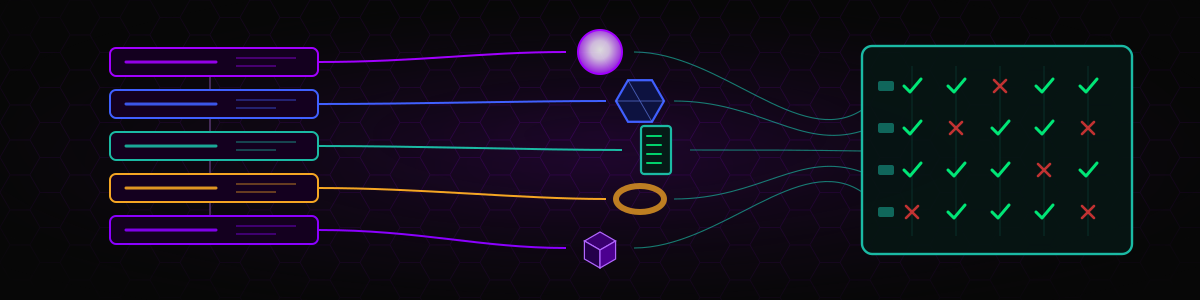
The LLM Assessment for SWAO answers a practical question: which LLM runs SWAO's own assessment work best on my application? It takes one of your applications that already has a completed Application Assessment and runs that assessment again with 2 to 5 different LLM (connector, model) pairs, called legs. SWAO records every LLM call in every leg and compares the models on response quality, structural reliability, speed, cost, reasoning behaviour and security behaviour. You get a side-by-side comparison, a weighted final ranking and a findings log.
The two assessments are deliberately separate:
| Application Assessment | LLM Assessment for SWAO | |
|---|---|---|
| What varies | The application | The model (2 to 5 legs) |
| What stays fixed | One model | One application, with a completed Application Assessment |
| Output | Signals, compliance verdicts, 7R verdict | A model comparison grouped by dimension, a final ranking, a findings log |
An LLM Assessment run never writes into the application's own apps/<id>/wsp/ data, and the application publication does not list LLM Assessment artefacts.
The LLM Assessment for SWAO is not a sovereignty evaluation of an AI provider your client wants to use in its own products. For that question, use the LLM Selection framework or the AI 10 Pillars framework inside a normal assessment.
What you can do with it
- Choose the model for an engagement. Compare a cloud API with a self-hosted model (for example via Ollama or an internal vLLM endpoint) on your real workload before you commit to one for the remaining applications.
- Check whether the verdict depends on the model. Some models reach a different 7R or compliance outcome on the same input. The comparison shows verdict agreement between legs.
- Plan cost and run time. See total cost, latency and wall-clock time per model on an application you know.
- Assess reliability. Count unfinished runs, retries, rate-limit incidents, truncated and unparseable responses.
- Check security behaviour. See whether a model altered redaction markers, reproduced personal data, referenced files that do not exist, refused, or showed prompt-injection signals.
What you need to provide
- A completed Application Assessment for the target app. Without one, the run stops with a hint to run
swao assess --app <id>first. If the app's source or inputs have changed since that run, the LLM Assessment still runs and records the change in its manifest. - Two to five legs in the
llm_assessmentblock of the workspace-level.swao.yml(not the app-level file). - Credentials for every connector, stored in the SWAO credential store (
swao credential set <key>), never in YAML. - Installed framework catalogues for every regime in the app's
assessment.regimes_active. The compliance pass is the largest LLM workload; a missing catalogue would make the legs incomplete, so SWAO flags it.
Configuration
# <workspace>/.swao.yml
llm_assessment:
  legs:
    - connector: openrouter
      model: anthropic/claude-sonnet-4
      primary: true
    - connector: openrouter
      model: deepseek/deepseek-v4-flash
    - connector: ollama
      model: llama3.3
  execution: serial        # or parallel (default: serial)
  repeat: 1                # runs per leg, 1 to 10 (default: 1)
  weights:                 # final-result weights; normalised to sum 1
    quality: 0.5
    reliability: 0.2
    performance: 0.15
    cost: 0.15
security: 0.1| Key | Meaning |
|---|---|
legs | 2 to 5 entries. connector is an LLM-Gateway connector ID; model is optional (connector default when omitted) |
primary | At most one leg; when none is marked, the first leg is primary. The primary leg is the reference for agreement metrics |
execution | serial (default; gentle on rate limits and gives undistorted latency) or parallel |
repeat | Number of repetitions per leg. With more than one, the comparison shows the median and the spread |
weights | Relative weights for quality, reliability, performance, cost and security. The defaults are shown above; SWAO normalises them so that they sum to 1 and publishes the applied weights with the result |
keep_leg_wsp | true keeps the temporary leg workspaces for debugging (default: discarded after metric extraction) |
interpretation | Adds an LLM-written interpretation of the final comparison |
default_app | Default target app for the TUI |
Connectors
Connectors are discovered from the bundled LLM-Gateway seeds and from wsp/inputs/llm-gateway/ in the workspace. Bundled seeds include:
| Connector ID | Provider | Protocol | Declared data residency |
|---|---|---|---|
anthropic | Anthropic Claude | anthropic-messages | US/EU, depending on account configuration |
openai | OpenAI | openai-chat | US (global endpoints) |
openrouter | OpenRouter | openai-chat | global |
bedrock | Amazon Bedrock | bedrock | the configured AWS region |
ollama | Ollama (local) | ollama | local |
vllm-generic | Generic OpenAI-compatible endpoint (vLLM, internal hub) | openai-chat | self-hosted |
open-llm | Remote OpenAI-compatible endpoint (hosted GenAI hub or vLLM) | openai-chat | provider-defined |
To add your own connector, copy _template.yaml into wsp/inputs/llm-gateway/. See LLM gateway authoring.
How a run works
- Precondition gate. SWAO checks for a completed Application Assessment and records the hashes of the app's source and inputs.
- Legs. For each leg, SWAO copies the workspace configuration, inputs and the app into a temporary leg workspace and runs a complete Application Assessment there with that leg's connector and model. The LLM response cache is disabled for every leg so that no leg reuses another leg's answers. Every LLM call is recorded.
- Challenge (where available). Each leg can also run the adversarial challenge review against its own findings. The
swao challengecommand is an Enterprise feature; in other tiers, or when it fails, the leg continues without challenge data and the challenge metrics stay empty. - Comparison. Metrics are extracted from the call records, the leg workspaces are discarded, and the comparison engine builds dimension groups, per-pass views and the weighted final result.
- Findings log and publication model. Notable observations are written to a findings log, and a publication model is prepared for
swao publish --llm.
With exactly 2 legs there is no majority, so agreement is measured against the primary leg only and the result is labelled a head-to-head comparison. With 3 or more legs the majority and consensus metrics apply.
What is measured
SWAO measures 33 metrics in 9 groups (metric catalogue version 1.2.0). Metrics marked neutral are informational and are never scored.
| Group | Metrics |
|---|---|
| Quality, content | verdict delivered, verdict agreement, grounded signal rate, evidence citations per signal, report completeness, signal agreement rate |
| Quality, structural | parse validity, schema conformance, empty or degenerate responses |
| Performance | latency p50 and p95, throughput, wall-clock total |
| Cost | total cost (USD), reasoning share of output, predicted versus actual cost |
| Reliability | did not finish, retries, rate-limit incidents, truncated responses |
| Reasoning | reasoning tokens |
| Security | refusals, redaction markers altered, ungrounded file references, PII reproduction attempts, prompt-injection signals |
| Metadata | context length, maximum output tokens, input and output price per million tokens |
| Challenge | challenge dialogue turns, challenge incomplete, challenge duration |
The comparison is relative within the run. SWAO does not use external benchmark scores or a "golden" reference verdict.
Step by step (CLI)
Make sure the app has a completed Application Assessment:
bashswao assess --app app-crm-01Add the
llm_assessmentblock to the workspace.swao.ymland store the credentials for each connector.Run the LLM Assessment:
bashswao assess --type llm --app app-crm-01 # Legs without the Playwright crawl swao assess --type llm --app app-crm-01 --no-crawlPublish or report the result:
bashswao publish --llm swao report --type llm --format pdf # PDF needs Consultant or above
Step by step (TUI)
- Run
swao, choose 3 Run Assessment, then [4] LLM Assessment for SWAO. - Select Application. The picker lists only apps with a completed Application Assessment.
- Select LLM Providers. Choose 2 to 5 connectors; for each one pick a model or enter a custom model ID.
- Connectivity check. SWAO tests each connector before spending any tokens.
- Review Configuration. Check the legs, execution mode and repetitions.
- Running. Progress is shown per leg.
- Complete. The result table shows the comparison and the ranking.
What you get
LLM Assessment results are stored at workspace level, separately from the app data:
<workspace>/llm-assessments/swao/
+-- latest.txt                       pointer to the most recent run
+-- <timestamp>/
    +-- calls/
    |   +-- <leg-id>.ndjson           recorded LLM calls of one leg
    |   +-- <leg-id>/passes/          per-pass outputs copied from the leg
    |   +-- <leg-id>/challenge-results.json      when the challenge ran
    +-- comparison/
    |   +-- comparison.json           dimension groups, final result, per-pass and challenge views
    |   +-- publication-model.json    input for the HTML publication
    +-- manifest.yaml                 legs, hashes, execution mode, applied weights
    +-- findings.yaml                 findings log
    +-- log.ndjson                    run log
Leg IDs have the form <connector>--<model>, for example ollama--llama3.3.
Licence tier
The LLM Assessment runs in all tiers: Community, Consultant and Enterprise (llm-assessment: community in the feature gate registry). Its HTML publication, swao publish --llm, needs Consultant or above (html-report, like every HTML publication). The adversarial challenge part of each leg needs the Enterprise swao challenge command, and a PDF report needs Consultant or above.
Limitations
- Cost. Every leg is a full Application Assessment. Five legs cost roughly five assessments, plus repetitions. Start with 2 or 3 legs on a small app.
- Not paired samples. After the first LLM-driven pass the prompt chains of the legs diverge, because later prompts include earlier outputs. Per-run aggregates and result comparisons are sound; per-call comparisons between legs are indicative only.
- Parallel mode distorts latency. Do not mix serial and parallel runs when you compare latency.
- Declared residency is an input, not a verdict. The
sovereigntyblock of each connector file is what the connector author declared. Review the provider's data processing terms. - Challenge data is only present where the challenge command is available and challenge agents are configured.
Live example report
An LLM Assessment publication comparing several models:
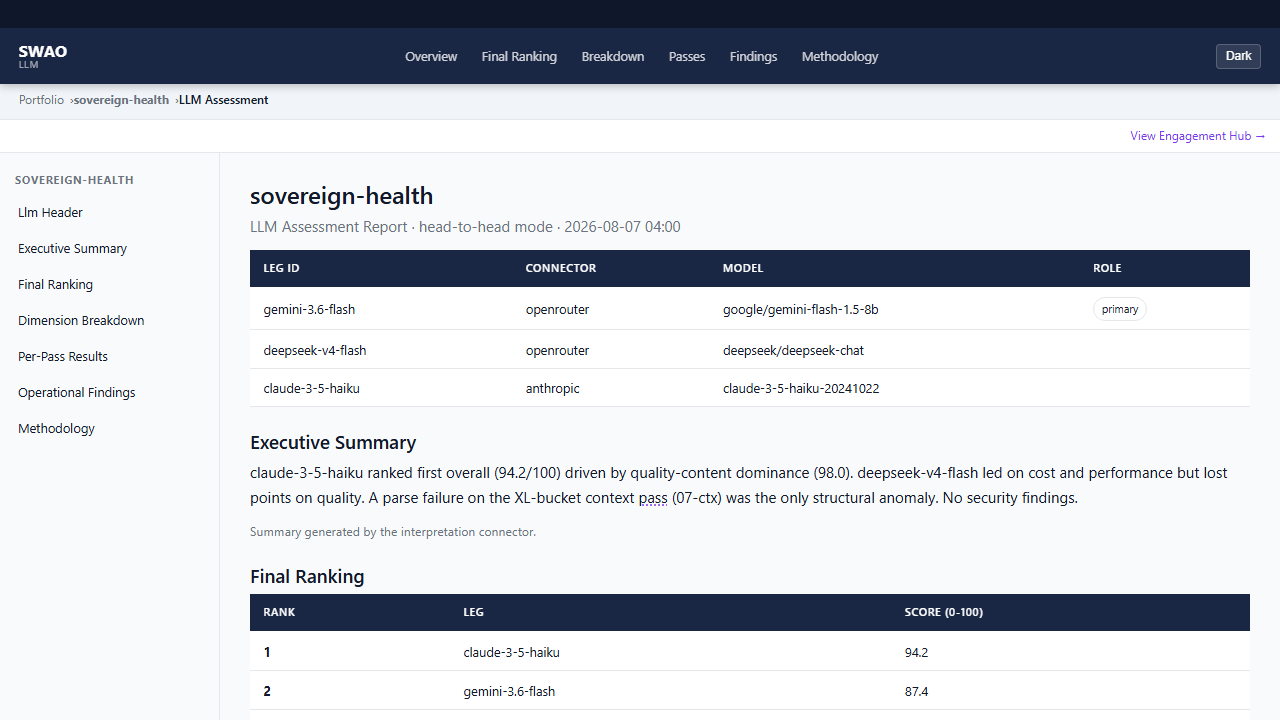 Extract from an LLM Assessment publication for the Sovereign Health demo application: the legs under comparison, the executive summary and the final ranking.
Further reading
- Assessment overview
- Application Assessment, required before an LLM Assessment
- LLM gateway authoring and LLM provider swap
- Licence management