
6. Export BI
Select option 6 from the main menu (or run swao export) to generate a structured data export bundle for use in Power BI, Tableau, Excel, or any other BI tool.
Export formats
| Format | Contents | Use case |
|---|---|---|
| CSV (star schema) | 17 fact and dimension tables | Power BI Desktop, Tableau, Excel |
| NDJSON | Newline-delimited JSON mirror of the CSV tables | Data pipelines, dbt, custom tooling |
| XLSX | Single-workbook rollup | Quick review, stakeholder sharing |
The star schema export is available in every edition, including Community Community.
Pre-built Power BI templates
On Consultant and Enterprise, two .pbit templates are included in your workspace under wsp/templates/powerbi/ Consultant. On Community, swao export writes the star schema and a licence notice instead of the templates.
| Template | Edition | Pages |
|---|---|---|
swao-report.pbit | Consultant and Enterprise | Overview, Compliance, Signals, Risks, Auditor, Run Stats |
swao-portfolio.pbit | Consultant and Enterprise (portfolio data needs Enterprise) | Portfolio overview, heatmap, compliance, risk and 7R, wave sequencing |
Open the .pbit file in Power BI Desktop, set SWAOExportPath to your star/ folder, and click Load.
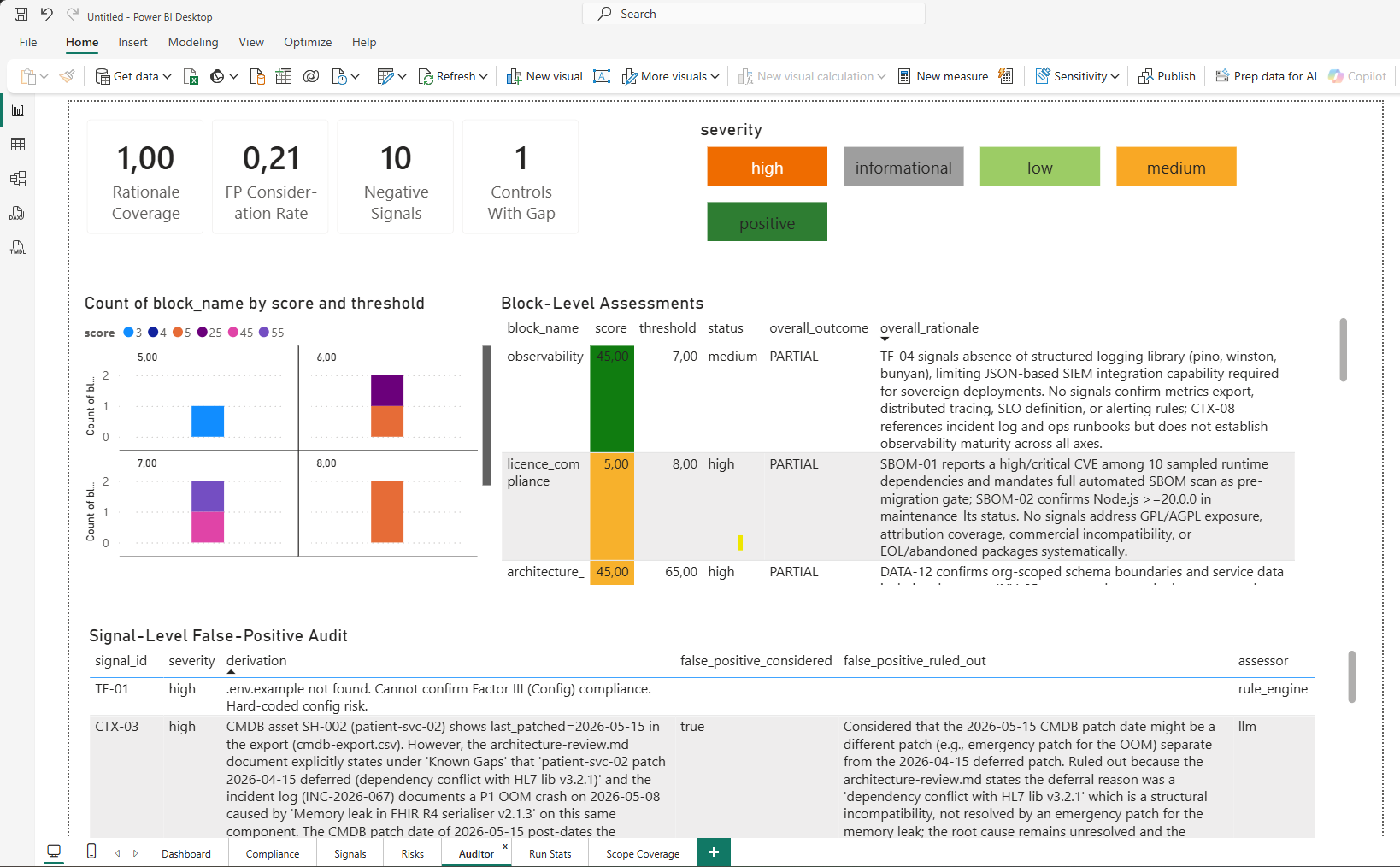 The Auditor page of
 swao-report.pbit for the Sovereign Health demo application: every signal carries its rationale and assessor.
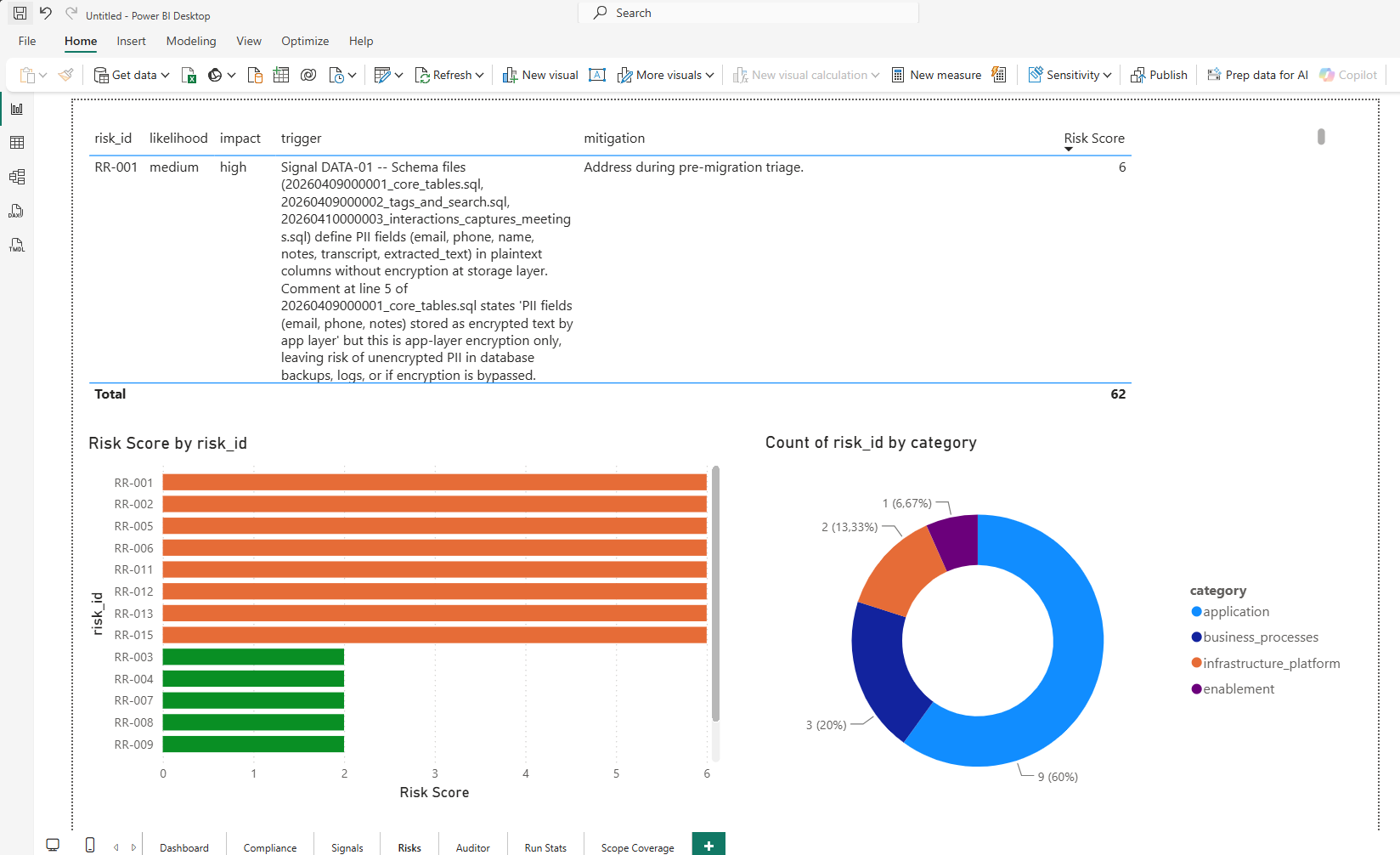 The Risks page of
 swao-report.pbit: risk register with likelihood, impact and mitigation, ranked by score.
Portfolio export (application and service apps)
swao service export Enterprise writes the portfolio star schema (wsp/star-schema/portfolio-*.json, 9 tables) and the portfolio workbook (wsp/reports/swao-portfolio-YYYYMMDD.xlsx, 14 sheets) from wsp/portfolio-summary.json. Since the combined portfolio view (Portfolio Operations) both hold application and service apps:
dim_service_app.assessment_typeisapplicationorservice; join the other portfolio tables onapp_idto filter by type.- The workbook sheets Portfolio Overview, Migration Waves, Migration Candidates and Cost vs Risk end with an
Assessment Typecolumn; Source Data hascomputed.assessment_type(andcomputed.seven_r_labelwhen an application app is present).
A service-only workspace produces the same tables and sheets as before, apart from the new column. The .pbit templates above read the application export (swao export) and are unchanged; a Power BI model over the portfolio tables filters on dim_service_app.assessment_type.
CLI
swao export --app my-app --formats csv,ndjson,xlsxSee also: Publish HTML