

Generate Report
Generate Report produces text and Markdown reports from the latest assessment results. Reports give you a portable, readable version of the findings that can be shared with reviewers who do not have SWAO or Power BI installed.
Access from the TUI main menu by pressing 4, or from the command line:
swao report --app <app-id>Sample output
The auditor report is a structured Markdown document you can open in any editor, attach to an email, or render directly in GitHub or Confluence.
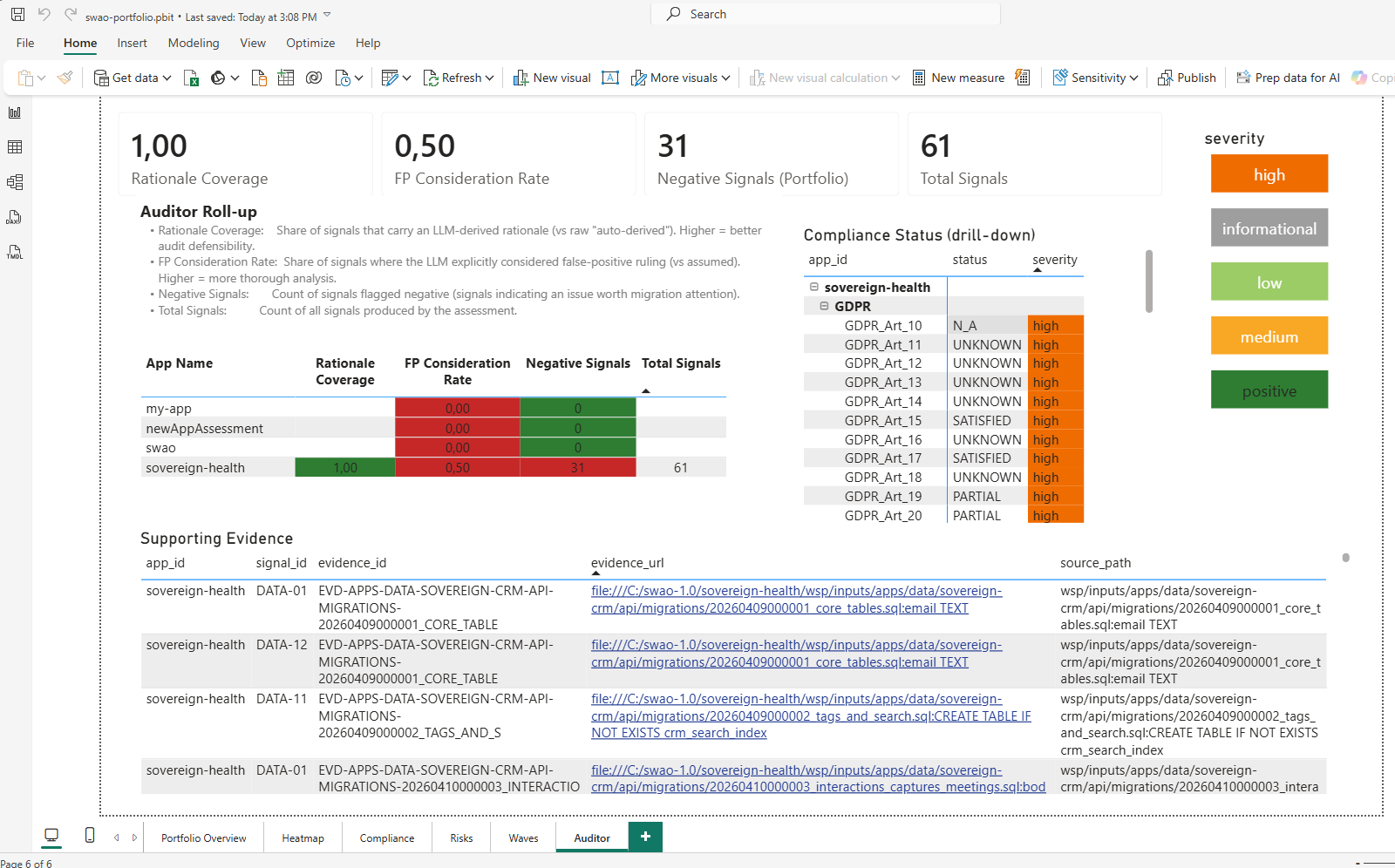
Report formats
| Format | File | Best for |
|---|---|---|
| Markdown auditor report | apps/<id>/wsp/auditor.md | Compliance reviewers who prefer text; printing; email attachment |
| YAML signal pack | apps/<id>/wsp/signals/*.yaml | Downstream tooling; import into other systems |
| JSON summary | apps/<id>/wsp/summary.json | API consumers; custom dashboards |
apps/<id>/wsp/reports/<id>.pdf | Formal submission; requires Playwright |
Auditor report contents
The Markdown auditor report (auditor.md) is the human-readable version of the full assessment. It contains:
- Summary block -- workload identity, 7R migration verdict, coverage score, active frameworks, signal outcome counts.
- Compliance status by framework -- every control with its verdict (SATISFIED / GAP / PARTIAL / NOT ASSESSED) and the rationale text that produced it.
- Risk register -- derived risks with likelihood, impact, trigger, and mitigation.
- Per-signal drill-down -- every signal with ID, severity, evidence reference, and the
false_positive_consideredflag. - Run statistics -- which passes ran, how many signals each produced, wall-clock time, and LLM token usage.
PDF generation
PDF output requires Playwright to be installed (see Health Check probe 2). If Playwright is present, SWAO renders the HTML publication to PDF automatically when you add the --format pdf flag:
swao report --app <app-id> --format pdfThe PDF is a faithful rendering of the HTML publication, including all charts and tables, in a format suitable for formal submission to a regulatory body or external auditor.
Regenerating reports
Reports are always generated from the stored signal set -- they do not require a new assessment run. If you update a context document or change the active frameworks and want to see the impact, run the assessment again first, then regenerate reports.